-
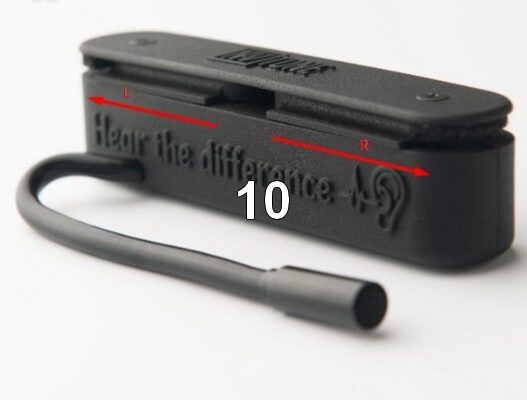
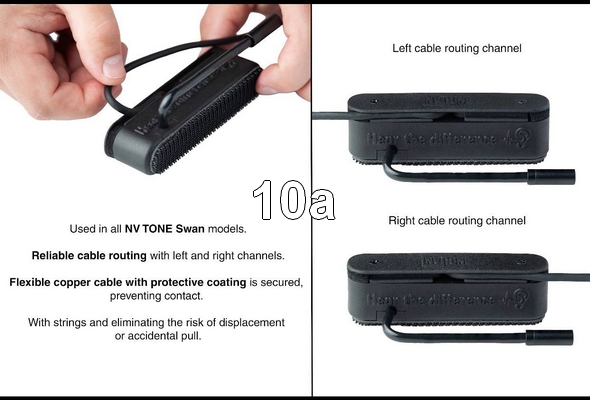
Unwind the cable, choose the direction for a left-handed or right-handed guitar at the pickup, and secure the cable in the appropriate location (right-handed by default). (See Photo 10, 10a)
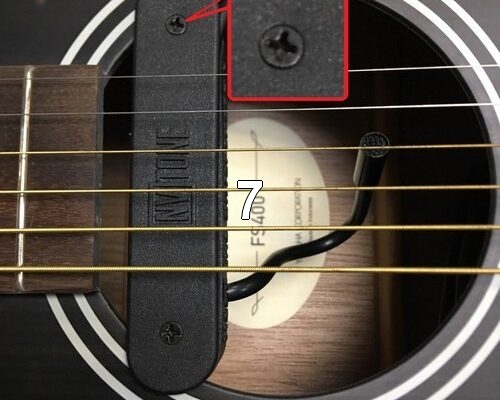
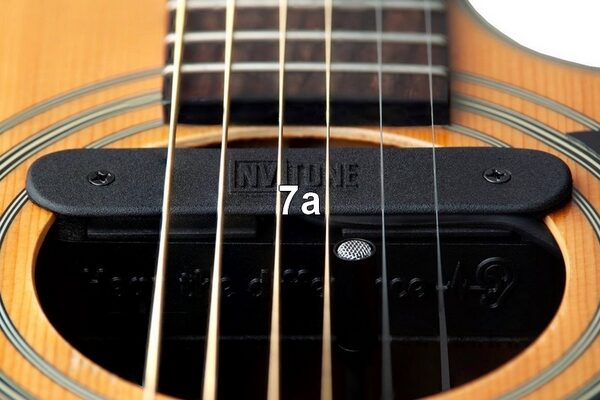
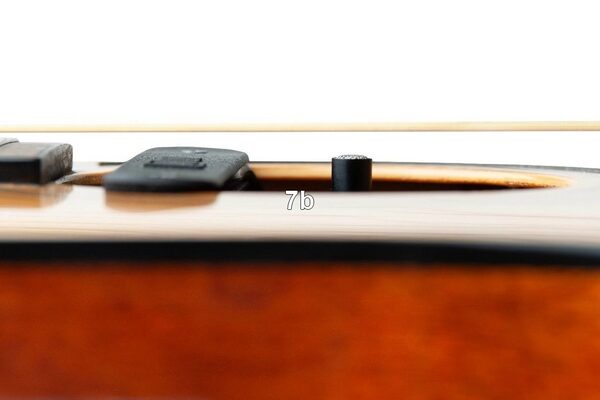
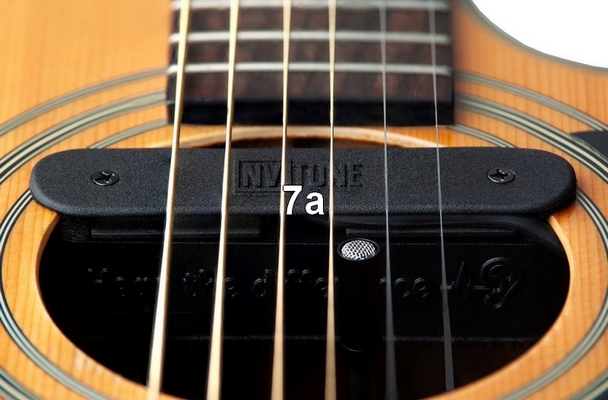
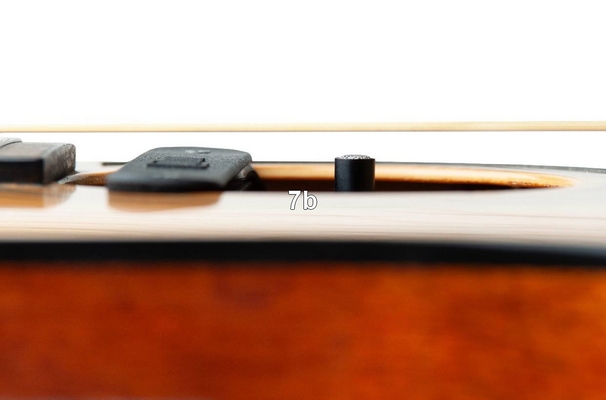
- 7–7a–7b Installation Method for the Soundhole Mount and Optimal Microphone Head Position
-
Slightly loosen the pickup mounting screws using a Phillips screwdriver.
- Place the pickup into the soundhole and tighten the screws.
- Position the microphone head between the 2nd and 3rd strings
- Pull the microphone head out by 2–3 mm from the soundhole if the guitar resonance produces a “boomy” bass effect.
-
Connect the XLR plug to the microphone input of your combo, mixer, audio interface, etc.
-
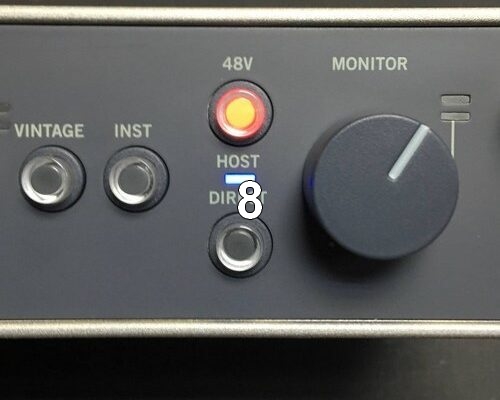
Turn on Phantom Power (12-48V) if it is not enabled by default. (See Photo 8)
Modern audio equipment usually provides it.
• IMPORTANT – our recommendation:
If your audio interface, acoustic amplifier, or other device doesn’t provide phantom power —
You can use a phantom power adapter, widely available in music stores.
These affordable adapters are designed exactly for this purpose.
Use a phantom power adapter and forget about unstable batteries forever.
Recommended phantom power box models:
• Aokeo 1-Channel 48V Phantom Power Supply – affordable and easy-to-use unit that comes with a cable.
• Xvive P1 Rechargeable Phantom Power Supply – portable, battery-powered, and offers a 12V/48V switch.
Also, other similar adapters available in your store with good reviews.